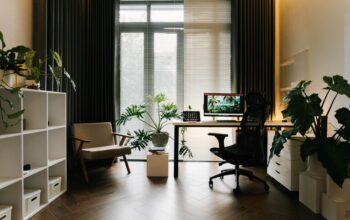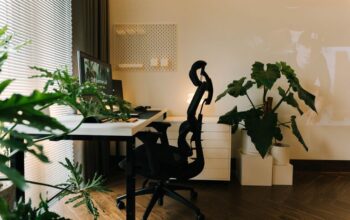
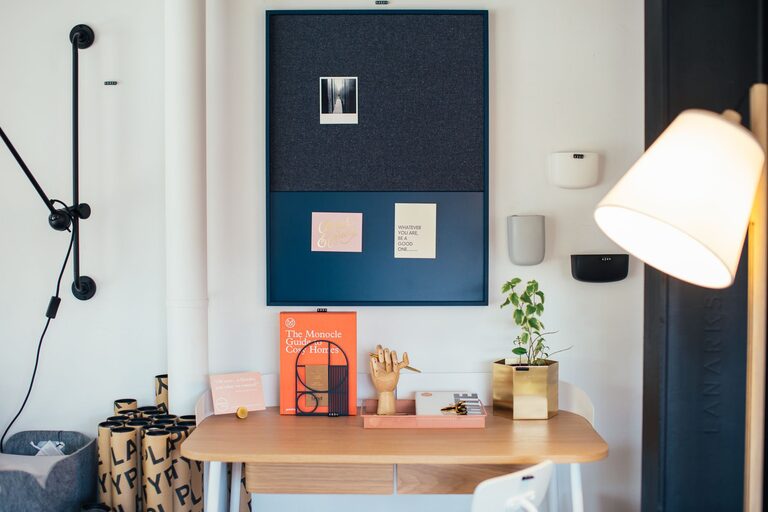
Creating a home office that feels cozy yet remains highly functional can significantly improve your work-from-home experience. Whether you have a dedicated room or a small corner in your living area, thoughtful design will help you stay comfortable and focused throughout the day. In this guide, we’ll explore practical tips to build a workspace that encourages productivity and promotes well-being.
Choose the Right Location
The first step in creating an effective home office is selecting the best spot. Ideally, pick a space with good natural light, minimal noise, and little foot traffic. Consider the following:
– Natural Light: Position your desk near a window if possible. Exposure to daylight can boost mood and reduce eye strain.
– Privacy: Pick a quiet spot where you can minimize interruptions from family or roommates.
– Space Availability: Ensure your chosen area can comfortably fit your essentials without feeling cramped.
If space is limited, a multi-purpose room or a nook with a foldable desk can work well.
Invest in Comfortable and Ergonomic Furniture
Since you’ll likely spend long hours at your desk, comfort should be a priority.
– Ergonomic Chair: Look for one with adjustable height, lumbar support, and cushioning to maintain good posture.
– Desk: Choose a surface that fits your work materials and allows for proper keyboard and mouse placement. Adjustable or standing desks can be great for varying your position.
– Footrest: If your feet don’t rest flat on the floor, add a footrest for enhanced comfort.
Proper furniture helps prevent fatigue and reduces the risk of discomfort or injury.
Organize and Declutter Your Space
A cluttered workspace can lead to distraction and stress. Use practical organization methods to keep your desk tidy.
– Storage Solutions: Incorporate shelves, drawers, or filing cabinets for documents and supplies.
– Desk Organizers: Pencil holders, trays, and cable management systems help keep essentials within reach and wires under control.
– Daily Cleanup: Spend a few minutes at the end of each day putting things away to maintain an orderly environment.
Keeping only what you need nearby helps maintain focus on your tasks.
Personalize with Cozy Touches
Adding some warmth and personality makes your office inviting and inspiring.
– Soft Textures: Consider a plush rug, cozy throw blanket, or cushions to add comfort.
– Plants: Indoor greenery not only brightens the space but can also improve air quality and reduce stress.
– Artwork and Photos: Display images or prints that motivate you or bring a sense of calm.
– Lighting: Use layered lighting—combine overhead lights with desk lamps or floor lamps to create a warm ambiance that reduces eye strain.
Balance aesthetics with function to make your office a pleasant place to spend time.
Optimize Lighting for Comfort and Focus
Good lighting influences both your comfort and productivity.
– Natural vs. Artificial Light: Utilize as much natural light as possible, but supplement it with adjustable artificial lighting.
– Task Lighting: Use a desk lamp with adjustable brightness to highlight your work area without causing glare.
– Avoid Screen Glare: Position screens perpendicular to windows and light sources to reduce reflections.
Consider warm light bulbs to create a calming atmosphere during evening work sessions.
Establish Zones for Different Tasks
If your space allows, create separate areas for specific activities to help you stay organized and focused.
– Work Zone: Your main desk for computer work and meetings.
– Reference Zone: Shelves or filing systems for documents and books.
– Break Zone: A comfortable chair or small sofa for reading or relaxing during breaks.
Clearly defined zones can improve workflow and reduce distractions.
Incorporate Technology Thoughtfully
While technology is essential, it shouldn’t overwhelm your workspace.
– Wireless Devices: Choose wireless keyboard, mouse, and headphones to reduce cable clutter.
– Monitor Setup: Position your monitor at eye level for comfort. Dual monitors can boost productivity if space permits.
– Charging Station: Set up a specific spot for charging your devices to keep cords organized.
Ensure your internet connection is strong to avoid interruptions during work.
Maintain Good Air Quality and Temperature
A comfortable environment includes fresh air and a stable temperature.
– Ventilation: Open windows when possible or use an air purifier to improve air quality.
– Temperature Control: A small fan or heater can help regulate your comfort without disturbing others.
– Humidity: Consider a humidifier if you live in a dry climate to prevent dryness and irritation.
Comfortable conditions can enhance concentration and overall health.
Set Boundaries for Work-Life Balance
Finally, a cozy and functional office helps set clear boundaries.
– Dedicated Workspace: Avoid working from your bed or couch to signal when it’s time to work and when it’s time to relax.
– Routine: Develop a daily routine that includes clear start and end times.
– Breaks: Take regular breaks to stretch and rest your eyes.
These habits help you maintain productivity without feeling overwhelmed.
—
Designing a home office tailored to your needs can transform your daily routine. By combining comfort, organization, and personal touches, you create a space that supports your work and wellbeing. Use these tips as a starting point to build your ideal home workspace—one where you can feel cozy, motivated, and productive every day.